How Students Can Learn New Tech Skills Online
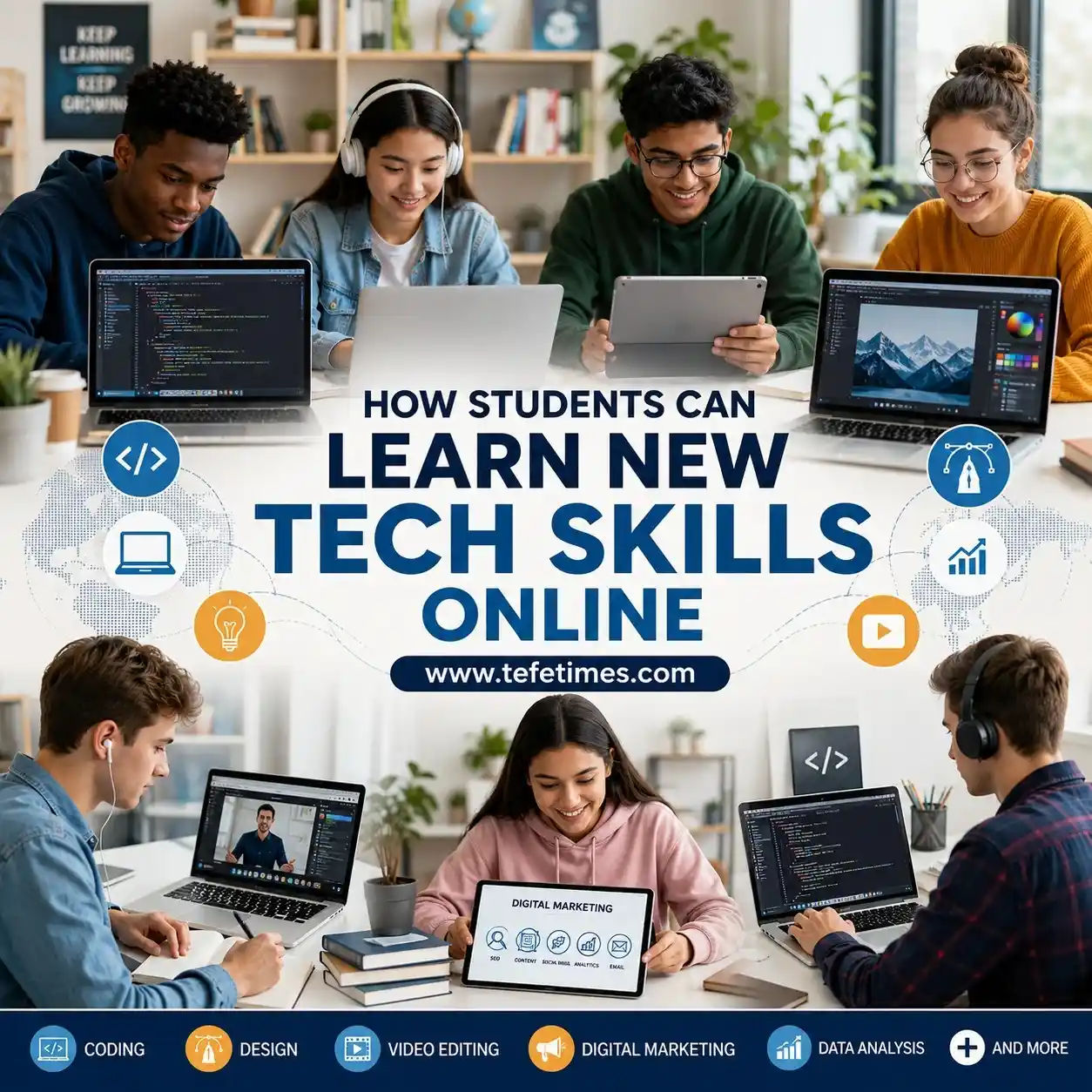
Technology is changing faster than ever. A few years ago, skills like coding, graphic design, video editing, data analysis, and digital marketing were considered specialized careers. Today, students around the world are learning these skills online from their homes, libraries, hostels, or even on mobile phones.
The best part? You no longer need an expensive degree or a high-end computer to start learning tech skills. Many students now build careers through affordable online learning, free tutorials, practice projects, and consistent self-study.
Whether you are a school student curious about technology, a college learner preparing for future jobs, or someone trying to improve your career opportunities, online learning can help you gain valuable skills step by step.
In this guide, you will learn practical ways to start learning tech skills online, how to stay motivated, the best platforms to use, common mistakes to avoid, and how students can turn online learning into real-world opportunities.
Why Tech Skills Matter for Students Today
Technology is now connected to almost every industry. Healthcare, education, business, entertainment, finance, and even agriculture rely on digital tools.
Students who learn tech skills early often gain advantages such as:
- Better job opportunities
- Freelancing options
- Remote work possibilities
- Stronger problem-solving abilities
- Improved digital confidence
- Higher earning potential
- More career flexibility
You might be wondering whether learning tech skills is only useful for computer science students. The answer is no.
For example:
- A medical student can learn data analysis.
- A business student can learn digital marketing.
- A teacher can learn online course creation.
- An artist can learn graphic design or animation.
Tech skills are becoming useful for everyone.
Most Popular Tech Skills Students Can Learn Online
Here are some beginner-friendly tech skills that students worldwide are learning online.
| Web Development | Beginner to Advanced | Developer, Freelancer | High |
| Graphic Design | Beginner | Designer, Content Creator | High |
| Video Editing | Beginner | YouTuber, Editor | High |
| Digital Marketing | Beginner | Marketing Executive | High |
| Data Analysis | Medium | Analyst, Research Roles | Medium |
| Cybersecurity Basics | Medium | Security Support | Medium |
| App Development | Medium | Mobile Developer | Medium |
| UI/UX Design | Beginner | Product Design | High |
| AI & Machine Learning Basics | Medium | AI Projects, Automation Roles | Medium |
| Cloud Computing | Advanced | IT & Infrastructure Careers | Medium |
The best skill depends on your interests, learning style, and long-term goals.
How to Choose the Right Tech Skill
Many beginners fail because they try to learn everything at once.
Instead of following trends blindly, choose a skill based on:
1. Your Interests
Ask yourself:
- Do you enjoy creativity?
- Do you like solving problems?
- Are you interested in apps or websites?
- Do you enjoy editing videos or photos?
For example:
- Creative students may enjoy graphic design or video editing.
- Analytical learners may enjoy coding or data analysis.
2. Your Available Time
Some skills take longer to master.
- Video editing basics can be learned quickly.
- Programming usually requires consistent long-term practice.
3. Your Device and Internet Access
Students with low-budget devices can still learn many skills.
For example:
- Digital marketing
- Canva design
- Blogging
- Basic coding
- Content writing
You do not always need expensive equipment.
4. Future Career Opportunities
Research whether the skill has demand in your country or globally.
Skills connected to remote work often provide more flexibility.
Best Free Platforms to Learn Tech Skills Online
The internet offers thousands of learning resources, but not all are useful for beginners.
Here are some trusted platforms students commonly use.
YouTube
YouTube remains one of the best free learning resources worldwide.
Students can find:
- Coding tutorials
- Design lessons
- Productivity advice
- Career guidance
- Practice projects
The key is choosing quality educators instead of random short videos.
Coursera
Coursera offers courses from universities and global companies. Many courses can be audited for free.
Good for:
- Structured learning
- Certificates
- Academic-style courses
Udemy
Udemy provides affordable tech courses. Discounts are common throughout the year.
Good for:
- Skill-based learning
- Budget-friendly courses
- Beginner-friendly tutorials
freeCodeCamp
freeCodeCamp is highly popular among programming beginners.
Good for:
- Web development
- JavaScript
- Python basics
- Hands-on projects
Khan Academy
Khan Academy helps students strengthen math and computer fundamentals.
Google Digital Garage
Google Digital Garage offers free digital marketing and career courses.
Step-by-Step Guide to Learning Tech Skills Online
Many students start enthusiastically but quit after a few weeks. A proper system helps you stay consistent.
Step 1: Choose One Skill Only
Avoid learning:
- Coding
- Design
- Marketing
- Editing
all at the same time.
Focus on one skill for at least 60–90 days.
Example
If you choose web development:
Start with:
- HTML
- CSS
- Basic JavaScript
- Small projects
This approach prevents confusion.
Step 2: Create a Learning Schedule
Consistency matters more than long study hours.
A student studying 1 hour daily often performs better than someone studying 8 hours once a week.
Beginner-Friendly Study Plan
| School Students | 30–60 minutes daily |
| College Students | 1–2 hours daily |
| Working Learners | 45 minutes daily |
Short, focused sessions are easier to maintain.
Step 3: Learn by Building Small Projects
Watching tutorials alone is not enough.
Here’s what actually works:
Build something simple after every lesson.
Examples:
- Create a small website.
- Edit a short video
- Design a poster
- Build a budget spreadsheet.
- Create social media content.
Practical projects improve understanding faster.
Real-Life Example
A student learning graphic design can:
- Design posters for local businesses
- Create Instagram posts
- Make school event banners.
This builds confidence and portfolio experience.
Step 4: Practice Regularly
Tech skills improve through repetition.
For example:
- Coders improve by writing code daily.
- Designers improve by creating visuals regularly.
- Editors improve by editing multiple videos.
Even 20–30 minutes of practice helps.
Step 5: Join Online Communities
Learning alone can feel difficult.
Students often learn faster when they interact with others.
Useful communities include:
- Reddit learning groups
- Discord communities
- Facebook study groups
- LinkedIn learning networks
These communities help students:
- Ask questions
- Find resources
- Stay motivated
- Discover opportunities
Budget-Friendly Ways to Learn Tech Skills
Many students worry about expensive courses.
The good news is that online learning can be extremely affordable.
Free Learning Resources
Students can combine:
- Free YouTube tutorials
- Free coding websites
- Open-source tools
- Free online books
Free Software Tools
| Graphic Design | Canva |
| Coding | Visual Studio Code |
| Video Editing | CapCut |
| Note Taking | Notion |
| Online Meetings | Google Meet |
| Learning Management | Google Classroom |
These tools work well for beginners.
Best Devices for Online Learning
You do not always need a powerful laptop.
Smartphone Learning
Many students successfully learn through smartphones.
Possible activities:
- Watching tutorials
- Reading PDFs
- Practicing quizzes
- Taking notes
- Learning marketing basics
Laptop Learning
Laptops are more useful for:
- Programming
- Video editing
- Design work
- App development
Even budget laptops are enough for many beginner tasks.
Productivity Tips for Students Learning Online
Online learning offers flexibility, but distractions are also common.
Here are practical strategies students can use.
1. Use the Pomodoro Technique
Study for:
- 25 minutes
- Take a 5-minute break.
This improves focus and reduces burnout.
2. Remove Digital Distractions
Turn off:
- Social media notifications
- Unnecessary apps
- Entertainment tabs
Focused learning saves time.
3. Track Progress Weekly
Keep a simple record:
- Lessons completed
- Projects built
- Practice hours
Little progress motivates long-term consistency.
4. Learn Publicly
Some students share:
- Designs
- Coding projects
- Learning updates
on platforms like LinkedIn or GitHub.
This helps build confidence and networking opportunities.
Common Mistakes Students Should Avoid
Online learning becomes difficult when students repeat certain mistakes.
Learning Too Many Skills Together
Beginners often jump between:
- Coding today
- Editing tomorrow
- Marketing next week
This slows progress.
Watching Tutorials Without Practice
Tutorial addiction is common.
Students keep watching videos but never build projects.
Practice matters more than passive watching.
Buying Too Many Courses
Many expensive courses contain information already available for free.
Start with free resources first.
Comparing Yourself With Experts
Social media often shows advanced professionals.
Remember:
Every expert was once a beginner.
Every expert was once a beginner.
Focus on your own growth.
Ignoring Fundamentals
Students sometimes rush into advanced topics too quickly.
Strong basics create long-term success.
How Students Can Build a Portfolio
A portfolio shows what you can actually do.
Even beginners can create simple portfolios.
Portfolio Ideas for Different Skills
Web Development
- Personal websites
- Landing pages
- Calculator apps
Graphic Design
- Posters
- Social media designs
- Brand mockups
Video Editing
- Short edits
- Educational videos
- YouTube clips
Digital Marketing
- Social media campaigns
- SEO projects
- Blog writing
A portfolio is often more valuable than certificates alone.
Can Students Earn Money from Tech Skills?
Yes, many students start earning while still learning.
Freelancing
Students offer services such as:
- Logo design
- Website creation
- Video editing
- Social media management
Remote Internships
Companies increasingly hire remote interns globally.
Content Creation
Students create:
- YouTube channels
- Blogs
- Educational pages
- Online tutorials
Selling Digital Products
Examples:
- Templates
- E-books
- Design packs
- Study resources
Learning skills online can eventually create income opportunities.
Importance of Digital Communication Skills
Technical skills alone are not enough.
Students should also improve:
- Communication
- Teamwork
- Time management
- Problem-solving
For example, a talented designer who communicates clearly often gets more opportunities.
How Parents and Teachers Can Support Students
Online learning becomes easier with support.
Parents Can:
- Encourage consistency
- Provide a quiet study space.
- Support healthy screen habits.
Teachers Can:
- Recommend learning resources
- Encourage project-based learning
- Introduce practical assignments
Support systems improve motivation significantly.
Real-World Student Learning Scenarios
Let’s understand this with an example.
Scenario 1: School Student Learning Graphic Design
A 16-year-old student starts using Canva to design school posters.
After several months:
- The student improves design skills.
- Creates social media posts for local shops
- Starts earning a small freelance income
Scenario 2: College Student Learning Web Development
A university student learns HTML, CSS, and JavaScript through free tutorials.
Later:
- Builds personal projects
- Creates a portfolio website
- Applies for internships
Scenario 3: Self-Learner Studying Digital Marketing
A beginner studies SEO, blogging, and social media marketing online.
They practice by creating their own website using resources from TefeTimes and gradually understand how digital content reaches audiences worldwide.
Practical learning creates stronger results than theory alone.
Future Trends in Online Tech Learning
Technology education continues evolving rapidly.
AI-Assisted Learning Tools
Students now receive:
- Personalized feedback
- Smart practice suggestions
- Faster learning support
Virtual Classrooms
Online classrooms increasingly feel interactive and collaborative.
Micro-Learning
Short lessons are becoming more popular because students prefer flexible learning schedules.
Remote Work Skills
Remote-friendly skills such as:
- Digital communication
- Online collaboration
- Cloud-based workflows
will remain highly valuable.
Best Habits of Successful Online Learners
Successful students usually follow similar habits.
They:
- Stay consistent
- Focus on one skill at a time.
- Practice regularly
- Build projects
- Learn from mistakes
- Stay curious
- Avoid perfectionism
Little daily progress often beats intense short-term motivation.
How Long Does It Take to Learn a Tech Skill?
This depends on:
- The skill difficulty
- Practice time
- Learning quality
- Personal consistency
Approximate Beginner Timelines
| Canva Design | 2–4 weeks |
| Basic Video Editing | 1–2 months |
| Web Development Basics | 3–6 months |
| Digital Marketing Basics | 2–4 months |
| Python Basics | 3–5 months |
Remember:
Learning never fully stops in technology.
Learning never fully stops in technology.
Even professionals continue improving.
Motivation Tips for Students
Online learning sometimes feels overwhelming.
Here are practical ways to stay motivated:
Set Small Goals
Instead of:
“I will master coding.”
“I will master coding.”
Try:
“I will build one webpage this week.”
“I will build one webpage this week.”
Celebrate Small Wins
Finished your first project?
Completed a course?
Solved a difficult problem?
Completed a course?
Solved a difficult problem?
Recognize your progress.
Focus on Consistency, Not Perfection
Missing one study day is normal.
The important thing is returning to your routine.
Final Thoughts
Learning new tech skills online has become one of the best opportunities available to students worldwide. Today, students can access high-quality education, practical resources, and career-building knowledge from almost anywhere.
The journey may feel confusing at first, especially with so many courses, videos, and learning platforms available online. But students who stay focused, practice consistently, and apply their skills in real projects often achieve impressive results over time.
You do not need expensive equipment, perfect conditions, or advanced knowledge to begin. What matters most is starting small, staying consistent, and continuing to learn step by step.
Whether you want to become a developer, designer, marketer, creator, analyst, or simply improve your digital confidence, online learning gives students powerful opportunities to grow personally and professionally.
The internet has made learning more accessible than ever before. Now the next step depends on your willingness to start.